Fiber Optic Patch Panels
Fiber optic patch panels provide a structured interface for fiber termination,
splicing, distribution, and cross-connection. They support organized cable
routing, bend-radius control, connector access, and efficient maintenance in telecommunications, data-center, enterprise, and industrial fiber networks.
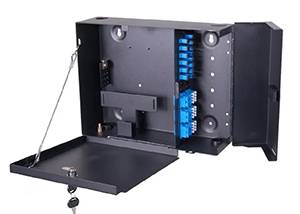
Wall-Mounted Patch Panel
This type of panel is designed to be mounted directly on an interior wall in a home, office, or telecom closet. It provides a compact termination point for fiber cables coming from outside the building, allowing connection to modems, routers, or other customer premises equipment. Its small footprint makes it ideal for spaces where floor space is limited. Key options: • Port count, such as 4, 6, 8, or 12, 24, 48 ports. • Material used, typically ABS plastic, cold-rolled steel, or sheet metal. • Mounting type, such as wall-mounted with screws, desktop placement, or DIN rail mounting. • Port type, such as SC, FC, LC, or ST adapters, determining what kind of connector the fiber cable uses. • Color, often white to blend with indoor walls or black for equipment rooms. • Pigtail and adapter compatibility, indicating whether the unit comes fully loaded with pigtails and adapters or is supplied empty for field termination.
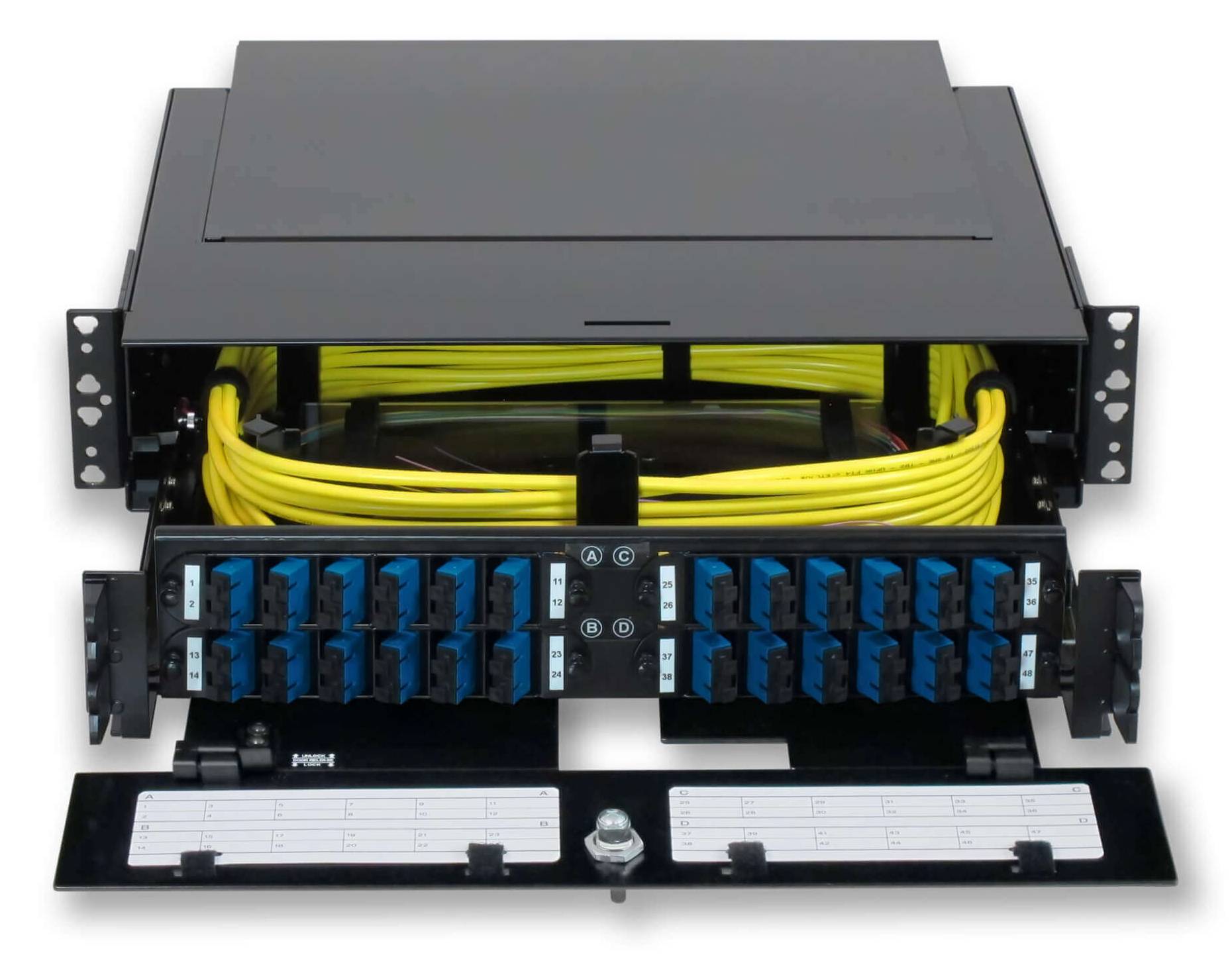
Rack-Mount Standard Patch Panel (1U, 2U, 3U)
This type is installed in standard 19-inch server racks or equipment cabinets in data centers and telecom central offices. It provides a high-density termination point for fiber connections between network equipment and outside plant cables. The height is measured in rack units, with 1U being approximately 1.75 inches or 4.45 centimeters. Key options: • Port count, such as 12, 24, 48, 96, or 144 ports. • Height in rack units, such as 1U, 2U, or 3U, determining how much vertical space it occupies in the rack. • Port type, such as SC, FC, LC, ST, or MPO connectors for high-density applications. • Form factor, such as fixed frame type or sliding drawer type. • Material, typically cold-rolled steel for durability and strength. • Color, usually black to match standard rack equipment. • Cable management features, such as built-in organizers, cable ties, or rear cable guides.
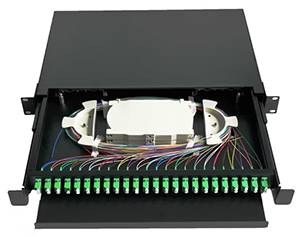
Sliding Drawer Type Patch Panel
This type features a drawer mechanism that slides out from the rack, providing front and rear access to fiber terminations, splice trays, and cable management. This design simplifies installation, maintenance, and reconfiguration by allowing technicians to pull the panel forward without removing it from the rack. It is particularly useful in high-density environments where access space is limited. Key options: • Port count, such as 12, 24, 48, 96, or 144 ports. • Height in rack units, typically 1U, 2U, or 3U. • Port type, such as SC, LC, or FC adapters. • Drawer rail type, such as sliding rails with or without locking mechanisms. • Splice tray capacity, indicating whether the drawer includes built-in splice trays for field splicing. • Material, such as cold-rolled steel with powder coating. • Color, usually black.
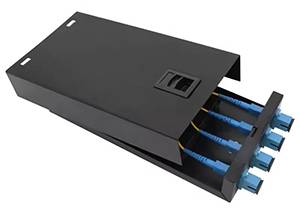
Desktop Patch Panel
This type is a small, compact panel designed to sit on a desk or tabletop, often used in small offices or for temporary installations. It provides a convenient termination point for fiber connections near workstations, modems, or routers without requiring rack or wall mounting. Key options: • Port count, typically 2, 4, 6, or 8 ports. • Material, such as lightweight ABS plastic or metal. • Port type, such as SC or LC adapters. • Mounting type, such as free-standing desktop placement or optional wall-mount capability. • Color, often white or light gray to blend with office surroundings. • Pigtail compatibility, indicating whether pre-terminated pigtails are included.
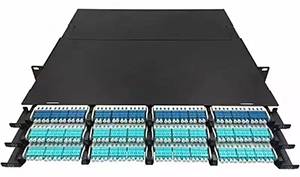
High-Density Patch Panel (144 Cores and Above)
This type is specifically designed for data centers and large telecom facilities where space is at a premium and extremely high fiber counts must be managed in minimal rack space. These panels use small-form-factor connectors such as LC or MPO to achieve port counts of 144, 288, or more fibers in a single 1U or 2U space. Key options: • Port count, such as 144, 288, or 576 fibers. • Height in rack units, typically 1U, 2U, or 4U. • Port type, such as LC duplex, MPO, or MTP connectors. • Form factor, such as sliding drawer or swing frame type for rear access. • Cable management features, including integrated bend-radius protection and cable routing guides. • Material, typically cold-rolled steel. • Color, usually black.
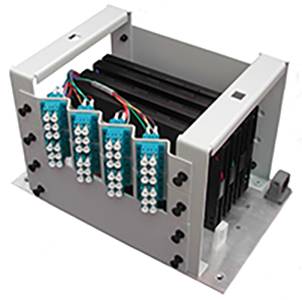
DIN Rail Mount Patch Panel
This type is designed to be mounted on standard DIN rails, which are common in industrial control cabinets and telecommunication enclosures. It provides a secure and organized termination point for fiber connections in industrial or utility settings where space is constrained. Key options: • Port count, such as 4, 6, 8, or 12 ports. • Mounting type, such as snap-on or screw-mounted DIN rail clips. • Port type, such as SC, LC, or FC adapters. • Material, such as metal or high-strength plastic. • Color, often black or gray. • Pigtail compatibility, indicating whether pigtails and adapters are pre-installed.
Note on Options:
Available configurations include rack-mount, wall-mount, desktop, DIN-rail, and high-density designs. Selection should be based on mounting format, required fiber and splice capacity, connector interface, cable-entry arrangement, and service-access requirements.
